
Part of the Copilot Chat for Real Work Series
If you’re an attorney, your day probably includes far more than practicing law.
You’re reviewing emails, preparing for client meetings, answering staff questions, tracking deadlines, managing follow-ups, documenting procedures, reviewing notes, and trying to keep cases and people moving forward.
Most attorneys didn’t go to law school to spend their day managing administrative work.
Yet for many firms, those tasks consume a surprising amount of time.
The good news? Copilot Chat can help reduce some of that administrative burden.
While it won’t provide legal advice, replace professional judgment, or make decisions for you, it can help organize information, improve communication, and eliminate some of the “starting from scratch” work that slows down your day.
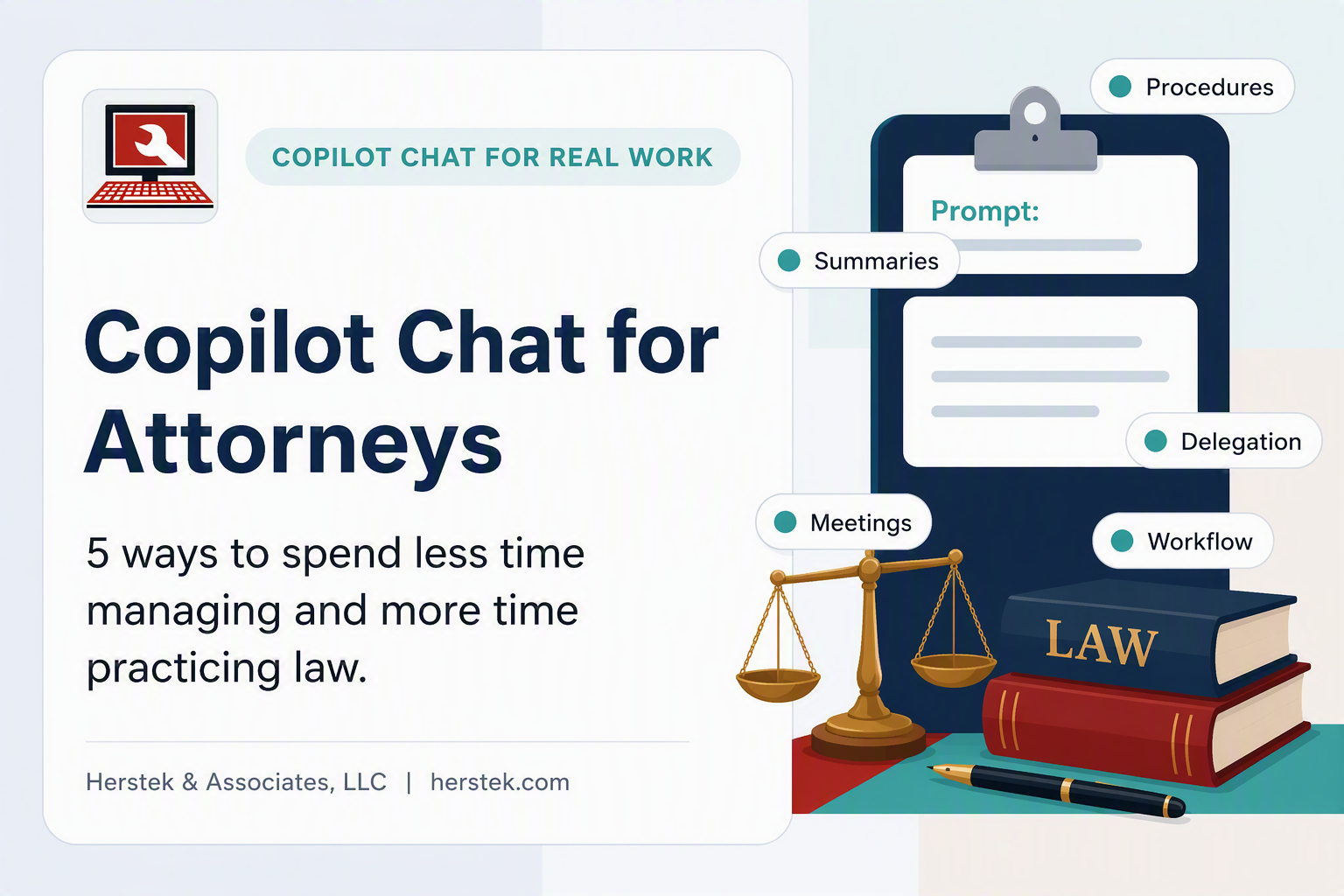
This article focuses on practical ways attorneys can use Copilot Chat to spend less time managing and more time practicing law.
In This Article
- What Is Copilot Chat?
- Quick Win #1: Turn Large Amounts of Information Into Executive Summaries
- Quick Win #2: Improve Delegation to Staff
- Quick Win #3: Create Standardized Firm Procedures
- Quick Win #4: Prepare for Client Meetings Faster
- Quick Win #5: Identify Administrative Bottlenecks
- Bonus Prompt: Improve Client Communication
- The Biggest Mistake People Make
- One Challenge for This Week
- Final Thoughts
What Is Copilot Chat?
Copilot Chat is Microsoft’s AI assistant that can help you:
- Draft communications
- Summarize information
- Organize notes
- Create checklists
- Build procedures
- Brainstorm ideas
- Analyze workflows
Think of it as an assistant for the administrative side of your practice.
The goal isn’t to replace legal expertise.
The goal is to reduce the time spent on repetitive tasks so you can focus more on serving clients and managing legal matters.
Quick Win #1: Turn Large Amounts of Information Into Executive Summaries
Attorneys are constantly receiving information:
- Client emails
- Meeting notes
- Staff updates
- Research materials
- Vendor communications
- Internal discussions
The challenge isn’t always finding information.
It’s quickly understanding what matters.
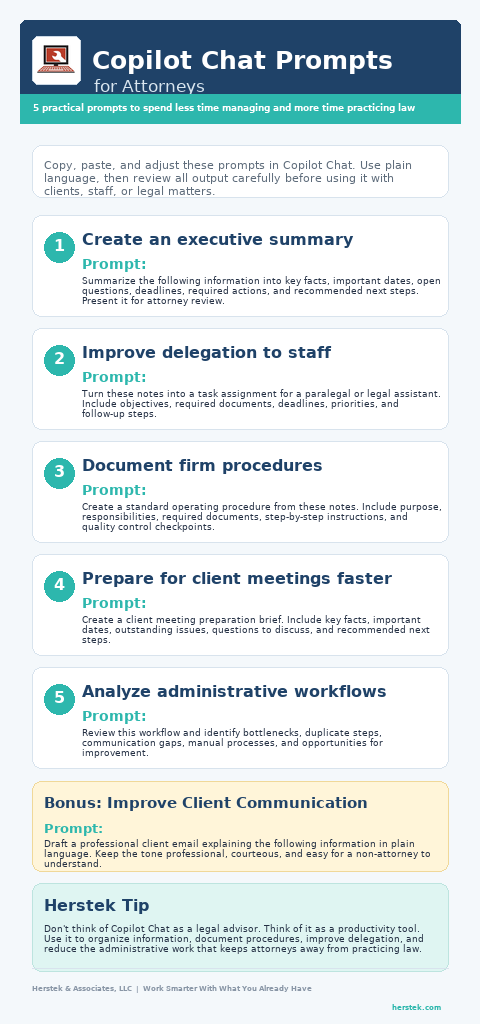
Try this prompt:
Prompt
Summarize the following information into: Key facts, Important dates, Open questions, Required actions and Recommended next steps.
Instead of reading three pages of notes, you can often start with a well-organized summary and determine where your attention is needed.
Herstek Tip
Ask Copilot Chat to organize information, not interpret the law. Human review should always remain part of the process.
Quick Win #2: Improve Delegation to Staff
One of the biggest challenges in any law office is delegation.
Often, attorneys know exactly what they need done but struggle to communicate the task clearly enough for someone else to execute it efficiently.
A quick conversation becomes three follow-up conversations.
Try using Copilot Chat to structure assignments.
Prompt
Create clear task instructions for a legal assistant regarding document collection for a new client matter. Include objectives, required documents, deadlines, and follow-up steps.
Or:
Turn these notes into a task list for a paralegal, including priorities and deadlines.
The clearer the instructions, the fewer interruptions you’ll receive later.
Quick Win #3: Create Standardized Firm Procedures
Every firm has processes that somehow live entirely in one person’s head.
Maybe it’s:
- Opening a new matter
- Onboarding a client
- Preparing billing reports
- Closing a file
- Conducting conflict checks
- Scheduling consultations
The problem appears when that person is sick, on vacation, or eventually retires.
Prompt
Create a standard operating procedure from these notes. Use numbered steps, responsibilities, required documents, and quality control checkpoints.
Copilot Chat won’t know your firm’s procedures automatically.
But it can help transform rough notes into an organized first draft that can be refined and documented.
Herstek Tip
One of the most valuable things a firm can do is reduce reliance on tribal knowledge. If only one person knows how a process works, that process is at risk.
Quick Win #4: Prepare for Client Meetings Faster
Many attorneys spend valuable time gathering information before consultations, client meetings, or case reviews.
Copilot Chat can help organize that information into a concise briefing document.
Prompt
Create a meeting preparation brief from the following information. Include key facts, important dates, unresolved issues, questions to discuss, and recommended next steps.
You can also ask:
Create a 30-minute meeting agenda based on this information.
The result is often a cleaner, more focused meeting and fewer missed discussion points.
Quick Win #5: Identify Administrative Bottlenecks
This may be the most overlooked use of Copilot Chat.
Many firms know they have inefficiencies.
They simply haven’t had time to analyze them.
Try describing a process and asking Copilot Chat to identify potential issues.
Prompt
Review the following workflow and identify: Duplicate steps, Communication gaps, Potential bottlenecks, Manual processes, and identify Opportunities for improvement.
You may discover:
- Multiple people performing the same work
- Unnecessary approvals
- Missing documentation
- Poor handoffs between team members
- Opportunities to standardize procedures
Even small improvements can free up significant time across an entire firm.
Bonus: Improve Client Communication
Prompt
Draft a professional client email explaining the following information in plain language. Keep the tone professional, courteous, and easy for a non-attorney to understand.
This can be useful for:
- Status updates
- Document requests
- Follow-up communications
- Appointment preparation
- Next-step explanations
- General client correspondence
Herstek Tip
Good client communication reduces confusion, unnecessary follow-up calls, and misunderstandings. Copilot Chat can help create a strong first draft, but attorneys should always review communications for accuracy, completeness, and appropriateness before sending.
The Biggest Mistake People Make
Many professionals believe they need to learn some special form of “AI language” before using Copilot Chat.
They don’t.
The best prompts often sound exactly like what you would ask a colleague:
- “Can you summarize this?”
- “Can you organize these notes?”
- “Can you create a procedure?”
- “Can you draft an agenda?”
- “Can you identify inefficiencies in this process?”
Start simple.
You can always refine the results later.
One Challenge for This Week
Choose one administrative task that routinely consumes your time.
Maybe it’s:
- Reviewing lengthy emails
- Preparing for meetings
- Delegating work
- Documenting procedures
- Organizing staff instructions
- Identifying workflow issues
Use Copilot Chat for that task one time this week.
Not for everything.
Just one task.
If it saves you 15 minutes today, that’s time you can spend on work that requires your expertise—not your administrative effort.
Final Thought
One of the reasons I’m writing this series is because many professionals are being handed AI tools without receiving practical guidance on how to use them.
Not theory.
Not hype.
Not promises that AI will replace jobs.
Practical applications that help real people save real time.
For attorneys, the opportunity isn’t replacing legal expertise.
The opportunity is reducing the administrative workload that competes for your attention every day.
Copilot Chat won’t practice law for you.
But it can help you spend less time managing the work around the practice of law—and more time focusing on the clients, cases, and decisions that actually require your expertise.
Related Articles
- Copilot Chat for Administrative Assistants: 5 Quick Wins You Can Use Today
- Copilot Chat for Office Managers: 5 Practical Ways to Reduce Daily Chaos
- Copilot Chat for Accountants: 5 Ways to Reduce Administrative Work and Focus on Financial Strategy
- Coming Soon: Copilot Chat for Small Business Owners
- Coming Soon: Copilot Chat for HR Professionals