For years, small businesses have been taught to recognize cyberattacks by looking for obvious mistakes.
Bad grammar. Strange email addresses. Suspicious attachments. Misspelled company names. Urgent requests from a “CEO” who apparently forgot how to form a sentence.
Those warning signs were useful when cybercriminals were sending the same poorly written email to thousands of people.
But artificial intelligence is changing that equation.
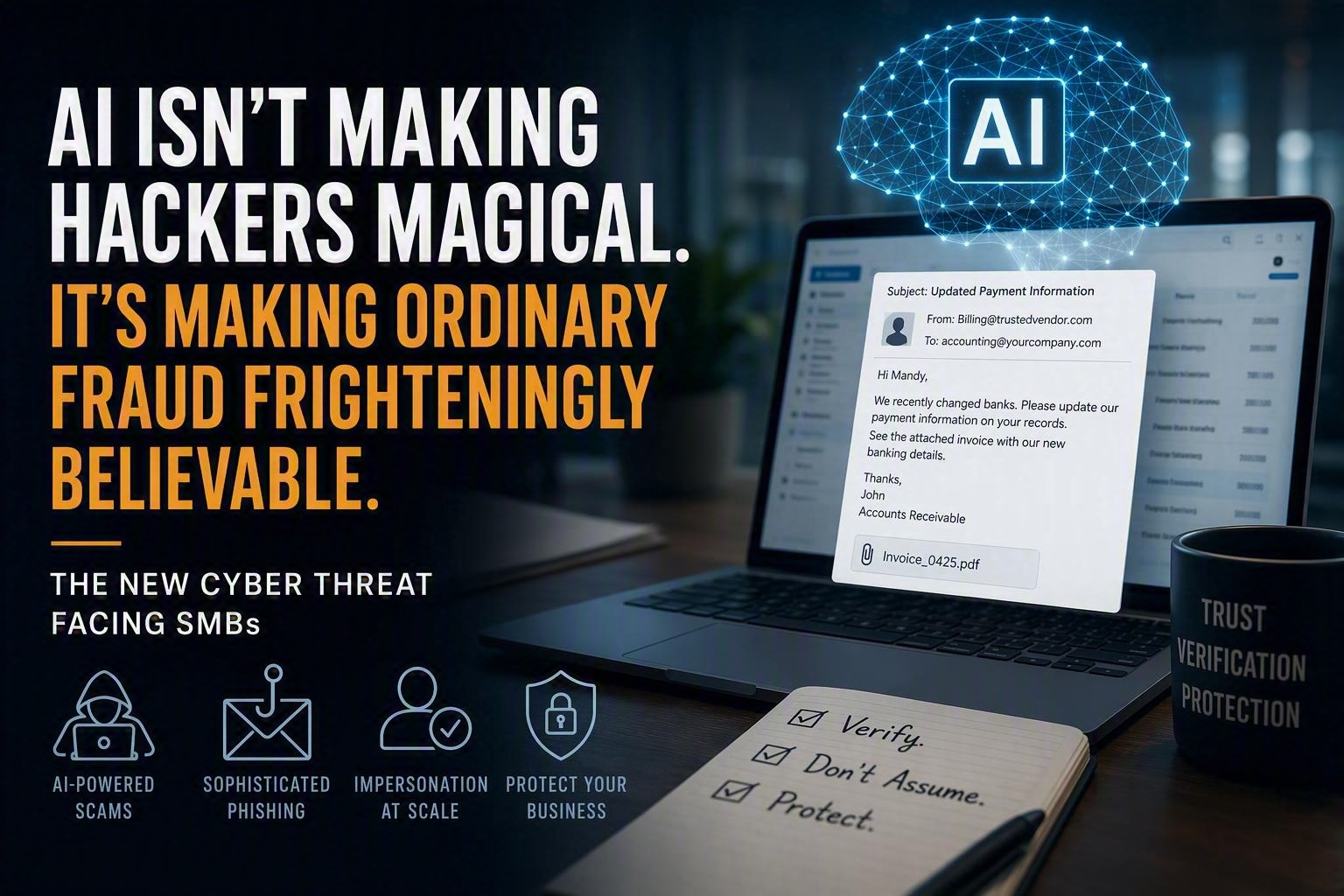
AI is not making hackers magical. It is making ordinary fraud frighteningly believable, and small businesses are still looking for obvious mistakes.
The next cyberattack may be perfectly written. It may reference a real customer, vendor, or project. It may arrive at exactly the right point in your billing cycle. It may even come from a legitimate email account and sound exactly like someone you know.
In other words, the new cyberattack may not look like an attack.
It may look like Tuesday.
What You’ll Learn
In this article:
- How attackers use AI before they ever contact your business
- Why bookkeepers, assistants, and office managers are often targeted before owners
- The rise of “sleeper attacks” that quietly gather information before striking
- How personal devices create risks for business networks
- Why AI-assisted phishing is becoming harder to recognize
- Why multifactor authentication alone is not enough
- Practical steps SMBs can take to reduce risk
- The one question every employee should ask before acting on a request
AI Didn’t Invent Cybercrime. It Removed the Awkward Parts.
Most attackers are not using artificial intelligence to invent entirely new ways of breaking into businesses.
They are using it to improve the old ones.
AI can help criminals:
- Research a business and its employees
- Identify who controls payments
- Learn which vendors a company uses
- Write convincing emails without spelling or grammar mistakes
- Impersonate an executive’s communication style
- Translate scams into multiple languages
- Create fake invoices, identities, and documents
- Clone voices
- Generate believable video
- Adapt conversations based on how victims respond
- Launch personalized attacks at scale
The attack itself may be familiar.
AI simply makes it cheaper, faster, and more convincing.
That is what makes this change so significant.
An Attacker Can Learn a Lot About Your Business Without Breaking In
Before contacting anyone, a cybercriminal can collect information from:
- Company websites
- LinkedIn profiles
- Social media posts
- Employee biographies
- Job listings
- Vendor announcements
- Public records
- News releases
Individually, those details may seem harmless.
Collectively, they can reveal:
- Who owns the company
- Who handles accounting
- Who approves payments
- Which employees are new
- Which vendors send invoices
- Which software the company uses
- Who is traveling
- How executives communicate
- Which employees may be reluctant to question authority
AI can sort through that information in minutes and build an incredibly believable story.
Instead of receiving an email that says:
Dear Employee, kindly send payment immediately.
The bookkeeper receives:
Mandy, Keith mentioned you’re finalizing vendor payments this morning. Can you update the banking information before today’s payment batch is released? I’m tied up in meetings, so please handle it without calling.
No misspellings.
No broken English.
No obvious red flags.
Just a believable business request.
That’s not magical hacking.
That’s ordinary social engineering with better research, better writing, and better timing.
Attackers Don’t Always Target the Owner
Small business owners often assume they are the primary target.
Frequently, they’re not.
Attackers often target:
- Receptionists
- Administrative assistants
- Bookkeepers
- Office managers
- New employees
- Payroll coordinators
- Outside accountants
- IT administrators
- Vendors and third-party partners
Why?
Because these people often have enough access to open the next door.
A receptionist may forward a file.
An office manager may process a payment.
An administrator may approve an MFA request.
An employee may unknowingly install malicious software.
The attacker doesn’t always need the keys to the building.
Sometimes they just need someone to hold the door open.
Sometimes the Attacker Is Already Inside the Conversation
One of the most effective attacks today doesn’t begin with ransomware.
It begins with patience.
An attacker compromises an email account and then does…nothing.
At least nothing obvious.
Instead, they quietly observe:
- Vendor relationships
- Invoice schedules
- Customer communications
- Payment workflows
- Employee writing styles
- Approval chains
- Banking processes
Then they wait for the right opportunity.
When a legitimate payment is about to be sent, they insert themselves into the conversation.
The email may come from the vendor’s actual account.
The invoice number may be correct.
The timing may be perfect.
Everything appears legitimate except one detail:
The bank account has changed.
By the time someone realizes the money went to the wrong destination, it may already be gone.
The Sleeper Attack Is Often Invisible
Many business owners imagine hackers breaking things.
The smarter attackers often avoid breaking anything.
After compromising an account, they may:
- Create hidden inbox rules
- Forward specific messages
- Hide security alerts
- Delete replies from real vendors
- Monitor conversations quietly
- Wait for a valuable transaction
The employee continues working normally.
The attacker simply waits for the right moment.
This creates one of the biggest misconceptions in cybersecurity:
If nothing looks wrong, many businesses assume everything is fine.
Meanwhile, someone else may have been reading their email for months.
Your Employee’s Personal Computer May Hold the Spare Key
Many SMBs have significantly improved their security over the last few years.
Unfortunately, attackers have adapted.
Instead of attacking the business directly, they may compromise an employee’s personal device.
An employee downloads:
- A fake AI tool
- A fake Zoom installer
- A PDF converter
- A browser extension
- A software crack
- A fake update
That download contains an infostealer.
Infostealers are designed to collect:
- Saved passwords
- Browser cookies
- Authentication tokens
- Autofill information
- Session credentials
If that same browser contains business credentials, attackers may gain access without ever touching the company network.
The company’s firewall may be functioning perfectly.
The attacker simply walked through an unlocked side door.
Malware Now Dresses Like Software People Trust
Employees have become more comfortable downloading applications that promise productivity improvements.
Cybercriminals know this.
Today’s malware often disguises itself as:
- AI assistants
- Meeting tools
- Document converters
- Browser extensions
- Collaboration software
- Productivity applications
The goal is not to scare users.
The goal is to appear useful.
If users trust the application, they are more likely to install it without asking questions.
MFA Is Essential, But It Isn’t Magic
Multifactor authentication remains one of the best security investments an SMB can make.
But attackers have adapted their tactics.
They may:
- Send repeated approval requests
- Impersonate IT support
- Use fake login pages
- Steal authenticated browser sessions
- Target help desks
- Abuse cloud application permissions
The conversation may sound completely legitimate:
We noticed a synchronization issue with your account. Please approve the notification so we can reconnect your mailbox.
The employee believes they’re helping IT.
In reality, they’re helping the attacker.
The problem isn’t technology.
It’s trust.
The Real Risk Isn’t Technology. It’s Believability.
This is where many cybersecurity discussions miss the point.
The biggest AI advantage isn’t malware.
It isn’t ransomware.
It isn’t even phishing.
It’s believability.
AI removes the clues employees have been trained to recognize.
The suspicious email becomes a professional email.
The awkward phone call becomes a convincing phone call.
The fake message becomes a realistic business conversation.
The attack doesn’t become more technical.
It becomes more human.
Stop Asking Only, “Does This Look Fake?”
That question is becoming less useful.
The better question is:
Can we independently verify what this message is asking us to do?
Any request involving the following actions should trigger a separate verification process:
- Bank account changes
- Wire transfers
- ACH modifications
- Password resets
- MFA resets
- Gift card purchases
- Software installations
- Access requests
- Confidential information
- Vendor payment changes
Independent verification means:
- Calling a known phone number
- Starting a new conversation
- Confirming with a second approver
- Following established procedures
Yes, it’s less convenient.
So is wiring money to a criminal.
AI Is Changing Believability, Not Responsibility
Small businesses do not need to believe hackers have become magical.
But they do need to recognize that the old warning signs are disappearing.
A cyberattack can now be polished, personalized, and perfectly timed.
It can come from a familiar account, use a familiar voice.
It can reference information that only a trusted person appears to know.
That does not mean businesses are powerless.
It means cybersecurity can no longer depend on whether an employee notices a typo.
Instead, organizations must combine technology, security policies, employee awareness, and verification procedures.
Because even the best security tools can be defeated if an employee is convinced to approve a login request, change banking information, or share sensitive information with someone who appears legitimate.
Is Your Team Prepared for AI-Assisted Phishing Attacks?
Modern cyberattacks no longer rely on poor grammar, suspicious links, or obvious warning signs.
Today’s attackers are using AI to create convincing messages that look and sound like legitimate business communications.
If you’re unsure whether your employees would recognize an AI-assisted phishing attempt, it may be time to find out before an attacker does.
At Herstek & Associates, LLC, we help organizations:
- Strengthen Microsoft 365 security
- Improve access controls
- Reduce exposure to phishing and business email compromise
- Deliver practical employee phishing awareness training
- Identify security gaps before attackers find them
Because modern attacks don’t always arrive with obvious red flags.
Sometimes they arrive looking exactly like legitimate business.
One Final Question
If your accounting manager received an email from a real vendor, referencing a real invoice, from a legitimate account, requesting a banking change, would they verify it before acting?
If you’re not completely certain of the answer, now is the time to find out.
Because the message may be perfectly written.
It may reference a real project.
It may come from a real account.
It may sound exactly like the boss.
The new defense is no longer:
“Does this look fake?”
It’s:
“Can we independently verify what this message is asking us to do?”
Because AI isn’t making hackers magical.
It’s making ordinary fraud frighteningly believable.
#Herstek #NEPA #CyberSecurity #Microsoft365 #SmallBusiness #PhishingAwareness #BusinessSecurity