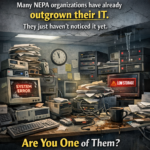

If a critical file went missing today—grant backup, donor list, contract addendum—how long until work stalls, a deadline slips, or a board member starts emailing you at 10:47 p.m.?
Lost files aren’t just annoying; they burn time, money, and confidence—the exact things small organizations can’t afford to waste.
Here’s the big number: knowledge workers spend nearly 20% of the workweek simply searching for information, which is essentially an entire day gone. [mckinsey.com]
How Files Actually “Disappear” (No Hackers Required)
Most missing files aren’t the result of cyberattacks. They vanish during everyday, well‑meaning work:
1. Version Collisions
Two people open the same file. Both edit. One saves. The other saves later.
Suddenly the “final” version is… not final anymore.
2. The ‘Friday Cleanup’ Accident
Someone organizing the shared drive deletes or archives the wrong file.
They meant well. The results… not so much.
3. Sync Weirdness
Your laptop in Pittston doesn’t match the desktop in Wilkes‑Barre.
Which version is right? Nobody knows.
4. DIY ‘Safe Copies’
Staff email files to themselves to prevent losing them.
Now there are six versions floating around—and none are trustworthy.
No errors. No pop-ups. Just quiet chaos.
Like the last tray of Old Forge pizza disappearing at a board meeting.
But Wait—It Is a Cyber Issue Too
Cybersecurity absolutely matters. In fact, the “human element” is involved in 68% of breaches, including mis-sent files and accidental exposure. [verizon.com]
Plus, collaboration tools—Teams, Slack, cloud drives—are increasingly targeted and must be secured appropriately. [scworld.com]
When files are spread everywhere, security risks spread with them.
Real NEPA Examples (Names Changed, Lessons Real)
Back Mountain Animal Rescue: The Newsletter Mix‑Up
Two volunteers made “quick edits.”
Both saved over each other.
Mailchimp deadline missed.
Donor momentum lost.
Scranton Contractor: The Lost Quote
A customer challenged a change order.
The signed PDF was buried in Desktop → New Folder → FINAL_use_this_v3.
Rebuilding documents cost days—and money.
Wilkes‑Barre Arts Program: Audit Tension
Receipts scattered across personal OneDrive, email threads, and screenshots.
The audit meeting was… fraught.
Why This Happens (And Keeps Happening)
Most Northeast PA SMBs and nonprofits never designed their file system.
It simply “grew” as teams, tools, and habits changed.
Over time, the system becomes a patchwork of:
- personal preferences
- old workflows
- outdated folders
- and heroic “workarounds”
Eventually, no one knows where the truth lives.
Before vs. After: The Difference Is Dramatic
Before
- Six versions of “final”
- Files recreated from memory
- Audit prep = panic
- Harder to meet cybersecurity requirements
- New hires confused on day one
After
- One trusted version of every document
- Search actually works
- Staff collaborate instead of overwrite
- Cyber protections are easier to apply
- New hires know exactly where things belong
What “Good” File Management Looks Like
A clean system doesn’t need to be complicated.
Here’s what works:
- Structure that mirrors real business processes
- Clear naming rules
- Coauthoring instead of attaching files
- Permissions based on roles
- Backups aligned to workflows
- Security woven into daily habits
When your files stay in fewer places, security gets stronger automatically.
⭐ How Herstek & Associates Helps (The NEPA Way)
We don’t bring Silicon Valley jargon or Fortune 500 playbooks.
We bring practical, local, real‑world support shaped for Northeast PA organizations.
We start by understanding how you actually work.
Where files live, how people use them, and where things get lost.
We highlight what’s working—and what’s causing trouble.
Clear, honest insight without judgment.
We recommend simple, realistic improvements.
No over-engineering. Just steps your team can truly follow.
We help your staff adopt the changes naturally.
This is about reducing friction, not adding rules.
We ensure the new structure strengthens your cybersecurity posture.
Especially since the human element plays a major role in breaches. [verizon.com]
The Result
A cleaner, calmer digital workspace.
Less chaos. Better security. More time back in your day.
Ready for Files That Stay Where You Put Them?
We help NEPA organizations work cleaner, safer, and with far less stress.