
If you run a small business, you’ve probably micromanaged at least once.
Or twice.
Or… every Tuesday.
No judgment — we get it.
When your team is small, your margins are tight, and clients expect responses faster than a toddler hearing a snack wrapper, it’s easy to feel like you must personally supervise every keystroke.
But before we dive into the stories, let’s pause for a moment of brutal honesty…
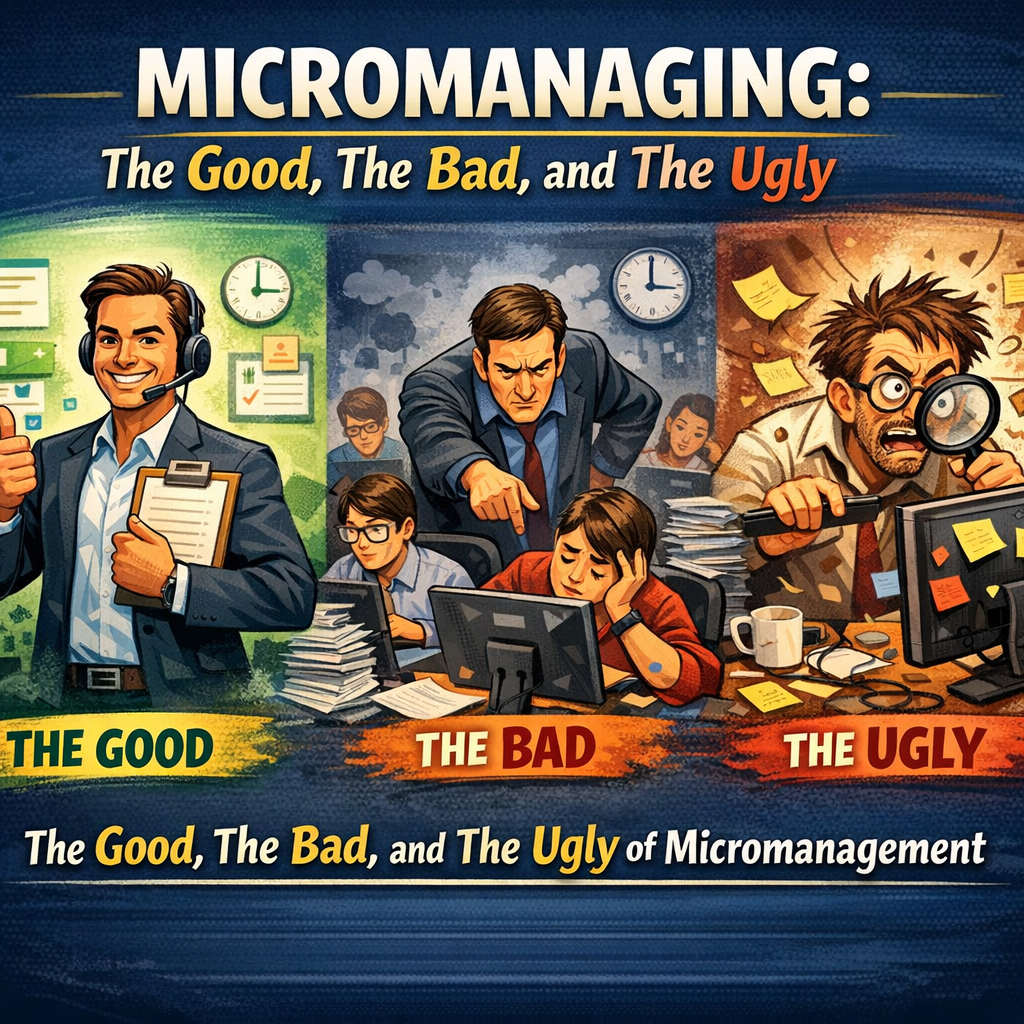
The Good:
Micromanaging feels productive.
You feel plugged in. In control. Aware of every detail.
There is comfort in knowing exactly what’s happening at every moment.
(Also known as: “If I don’t personally hover, everything will explode.”)
The Bad:
Micromanaging kills initiative.
It slows down work.
People stop thinking and start waiting.
Everything funnels through YOU — and suddenly you’re drowning in tasks no leader should ever be doing.
The Ugly Truth:
Micromanaging isn’t really about control.
It’s about visibility.
When you can’t see the work, you feel like you have to interrupt it.
And that’s when micromanagement becomes the villain of your business story —
not because leaders are “bad,”
but because the system gives them no better way to keep track.
Now… back to those “totally fictional definitely not describing your business” scenarios.
Local-Style Micromanaging Scenarios
(If you feel personally victimized, we promise this is purely coincidence.)
1. The “Forward Me Every Email” CEO
A local insurance agency owner demanded a copy of every email ever sent to a client.
EVERY. SINGLE. ONE.
The team spent more time forwarding emails than answering them.
Outcome:
- Slow responses
- Confused clients
- A “reply-all” apocalypse
- CEO still had no idea what was actually happening
Chef’s kiss.
2. The Shop-Floor Patrol Captain
A construction operations manager patrolled job sites like he was guarding state secrets.
Every 20 minutes:
“Where are we on that?”
“Did you finish that?”
“Who’s on that next?”
Outcome:
- No one took initiative
- Everything waited for approval
- Manager worked 70 hours to maintain “visibility,” aka exhaustion
3. The Version Control Crisis
A local consultant couldn’t escape the curse of attachments.
Every meeting began with:
“Is this the right version?
Are we sure?
Are we sure we’re sure?”
Outcome:
- 12 versions of the same doc
- Mystery edits from the void
- Coffee consumption at dangerous levels
The Twist (and the Truth):
Micromanaging isn’t a control issue.
It’s a visibility issue.
When leaders can’t see the work, they start interrupting it.
Enter:
Microsoft 365 — the cure for “Did you do that yet?” disease.
How Microsoft 365 Lets Leaders Stop Micromanaging (Without Losing Control)
✔ Real-Time Document Visibility (SharePoint + OneDrive)
Watch edits as they happen.
It’s like reality TV, except useful.
Why it helps: You observe without interrupting. Your team keeps momentum.
✔ Project Clarity (Planner, Loop, To Do, Project)
See:
- who’s doing what
- what’s done
- what’s stuck
Why it helps: You stop conducting hourly interrogations to get status.
✔ Teams = Communication Without Chaos
Channels and shared notes let leaders check without pestering.
Visibility up.
Annoying check‑ins down.
Why it helps: Visibility goes up. Annoyance goes down. Morale survives.
✔ Automated Updates via Power Automate
Get alerts when tasks are finished or approvals are needed.
Why it helps: No hovering and Your staff will stop hiding in the break room.
✔ Dashboards That Actually Make Sense (Power BI)
See sales, workload, trends, and bottlenecks — all updated automatically.
Why it helps: You make decisions from data, not gut feelings and guesswork.
✔ Access Without Overreach
Permissions let leaders observe without accidentally deleting the fiscal year.
Why it helps: Trust and autonomy without losing oversight.
Bottom Line:
Micromanaging isn’t a personality flaw. It’s a tooling and visibility flaw.
With Microsoft 365, leaders don’t have to know it all…
but they can see it all.
And suddenly, the whole team breathes a little easier.
CTA: Ready to Stop Micromanaging and Start Leading?
At Herstek & Associates, we help SMBs:
✔ Set up Microsoft 365 the right way
✔ Automate the boring stuff
✔ Create dashboards that give you visibility
✔ Reduce chaos, confusion, and “where’s that file?” moments
✔ Empower your team without losing oversight
If your business is ready for smoother workflows, fewer headaches, and leadership that doesn’t require detective work —
👉 Let’s talk.
We’ll help you build a smarter, calmer, more efficient workplace with Microsoft 365.